Starting today, select Xbox Insiders can begin testing improvements to Achievements that make it easier to celebrate your accomplishments and curate how they appear on your profile. These features will roll out to more Insiders over time, with broader availability coming later to all players. We’re excited to hear what you think, and we’ll keep bringing you more of the features you’ve been asking for.
Achievements Get a Visual Refresh
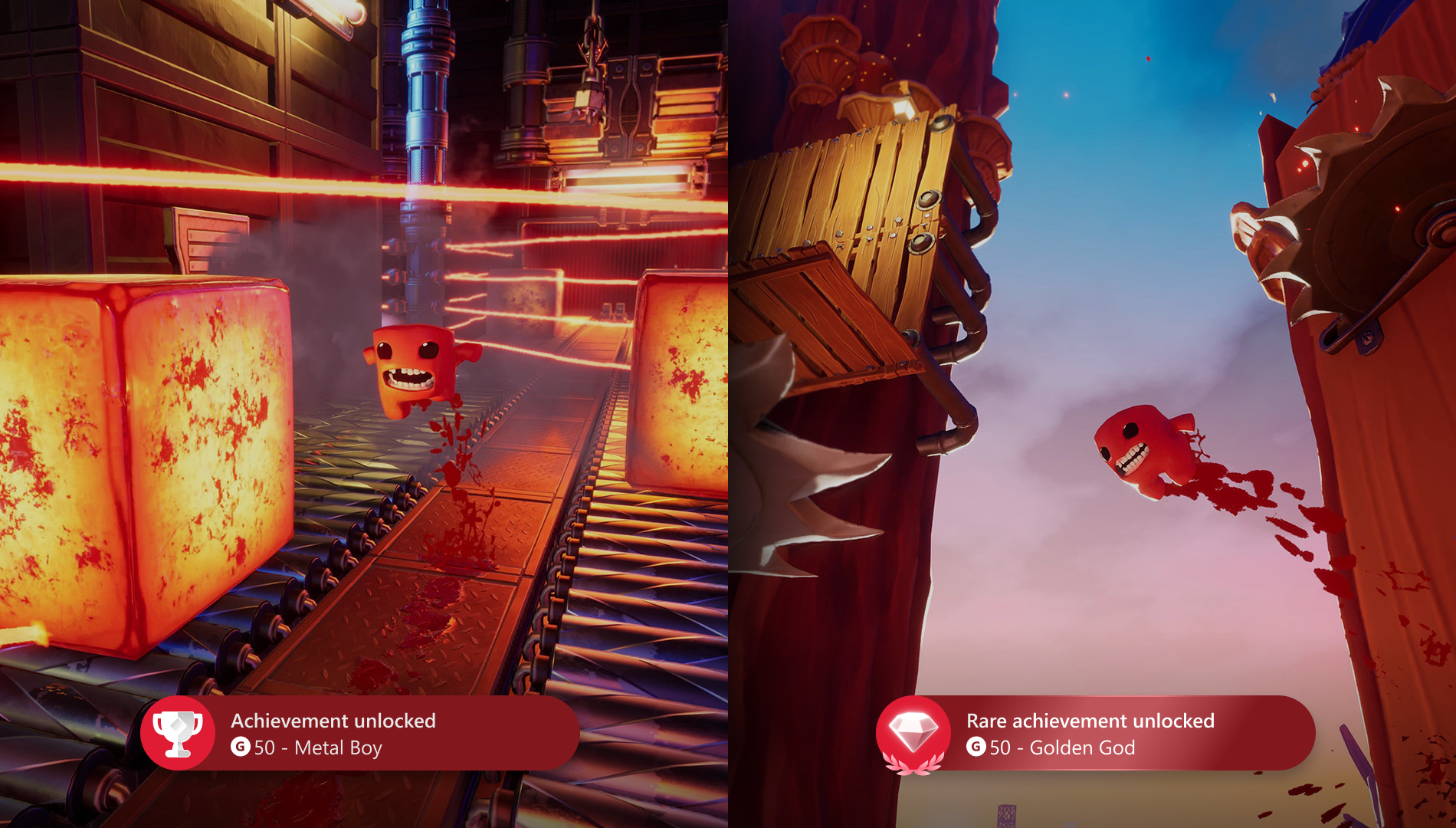
We’ve refreshed achievement notifications with a new look and feel, including updated icons and animations when you unlock classic or rare achievements. Notifications will also match your custom color, making each unlock feel more personal. Happy achievement hunting!
Hide Games from Your Achievement List
Coming later this month, you will be able hide any game from your Achievement history on your profile, giving you more control over how your accomplishments are presented. Whether you want a cleaner look or just want to highlight what matters most to you, this puts your profile in your hands. This only affects how your profile appears, hidden games will still count towards your total Gamerscore and your activity in these games will still be reported across Xbox.
This has been one of the most requested features from Xbox Insiders and we’re excited to finally get it into your hands very soon.
Highlight Your 100% Completed Games
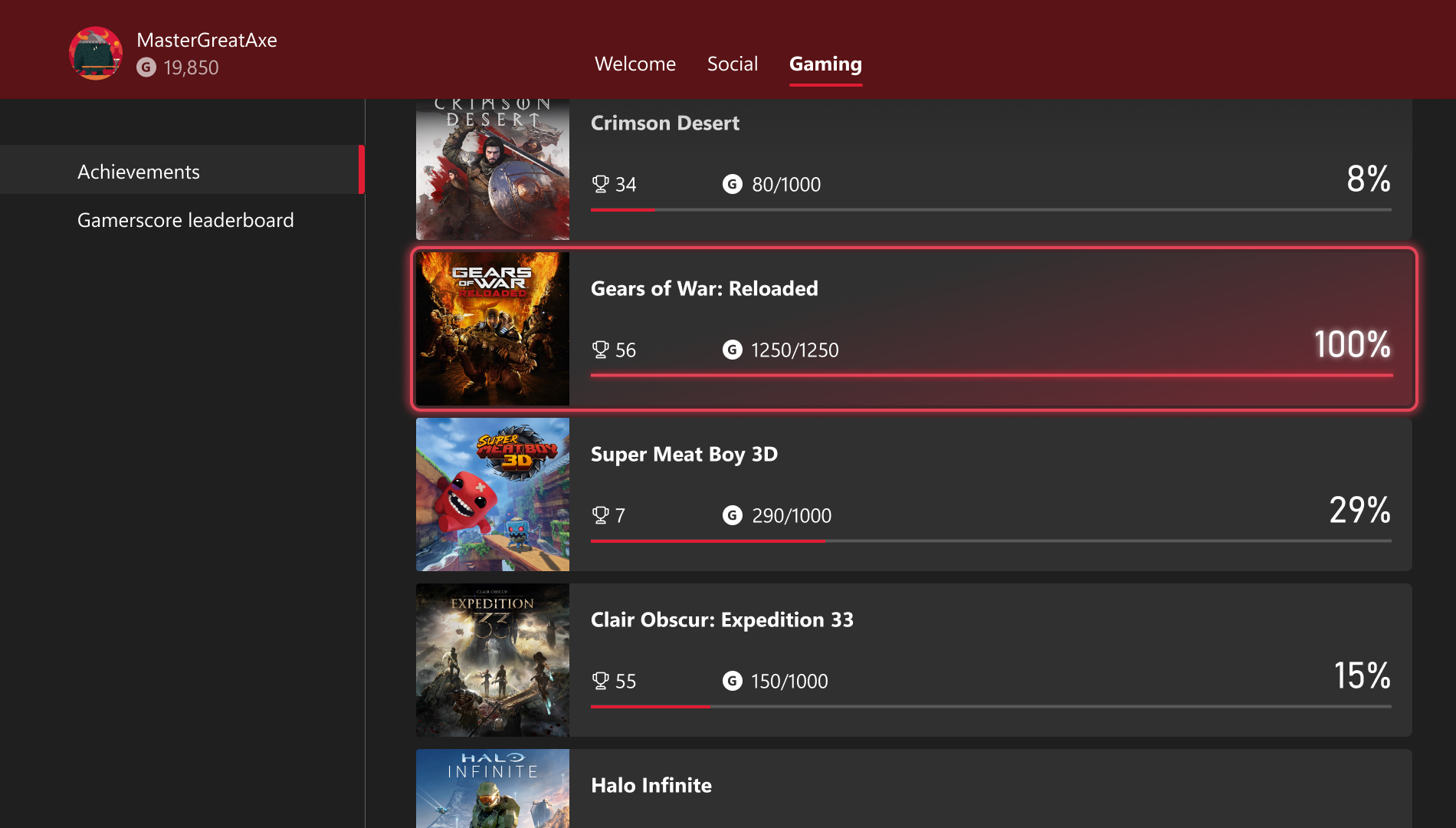
When you’ve earned all available Gamerscore for a title, you’ll now see it highlighted in your achievements list, so your hard work is easy to spot. This gives you a quick, at-a-glance way to celebrate full completion.
We’ve also added new filter options to this view, making it easier to find your fully completed games alongside any titles you’ve chosen to hide.
This is a small but meaningful step in a broader set of improvements we’re making to Achievements. We’re continuing to explore new ways to recognize completion and milestone moments over time, and this update is one of our first steps towards celebrating those moments.
How to Get Xbox Insider Support and Share Your Feedback
We want to thank all the Xbox Insiders for the feedback you share with us. If you’re an Xbox Insider looking for support, please join our community on the Xbox Insider subreddit, where official Xbox staff, moderators, and fellow Xbox Insiders are there to help. We recommend adding to threads with the same topic before posting a brand new one. This helps us support you the best we can!
If you aren’t part of the Xbox Insider Program yet and want to help create the future of Xbox and get early access to new features, join the Program today by downloading the Xbox Insider Hub for Xbox Series X|S & Xbox One or Windows PC. For more information on the Xbox Insider Program, follow us on Twitter at @XboxInsider and keep an eye on this blog for all the latest news.
Thank you for being part of Xbox Insiders. We can’t wait to hear what you think.
Other resources:
For more information: follow us on X/Twitter at @XboxInsider and this blog for announcements and more. And feel free to interact with the community on the Xbox Insider SubReddit.